



Greasemonkey Script: Flickr On Black Button
BigHugeLab's View On Black is sometimes handy when you want to view a flickr photo, well, on black background. I looked for some Greasemonkey scripts and found one that adds a link to the side bar but that wasn"t so handy. As I didn"t find anything better I decided to try to modify the script to suit my needs better.
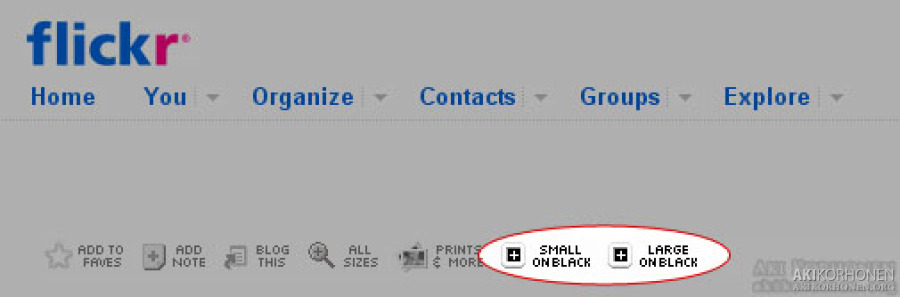
I succeeded to modify the code so it displays the buttons above the image as seen in the photo below. As the code looks for the right location to place the buttons by finding the "Add to faves" -button it only works when logged in and only on other people's photos. The button images are embedded in the code encoded in base64 so no need for other files other than the script itself.
Click here to download and install the script (you"ll need to have Greasemonkey installed on your Firefox first ofcourse). Credits to original makers of the script I used as a base are found from the source code.
[Userscripts.org page for the script]